How REDBERRY Generates Live and OTC Signals
The data path behind a REDBERRY signal: TradingView for Live pairs, private Quotex API for OTC, then inbuilt strategies and an expiry window.
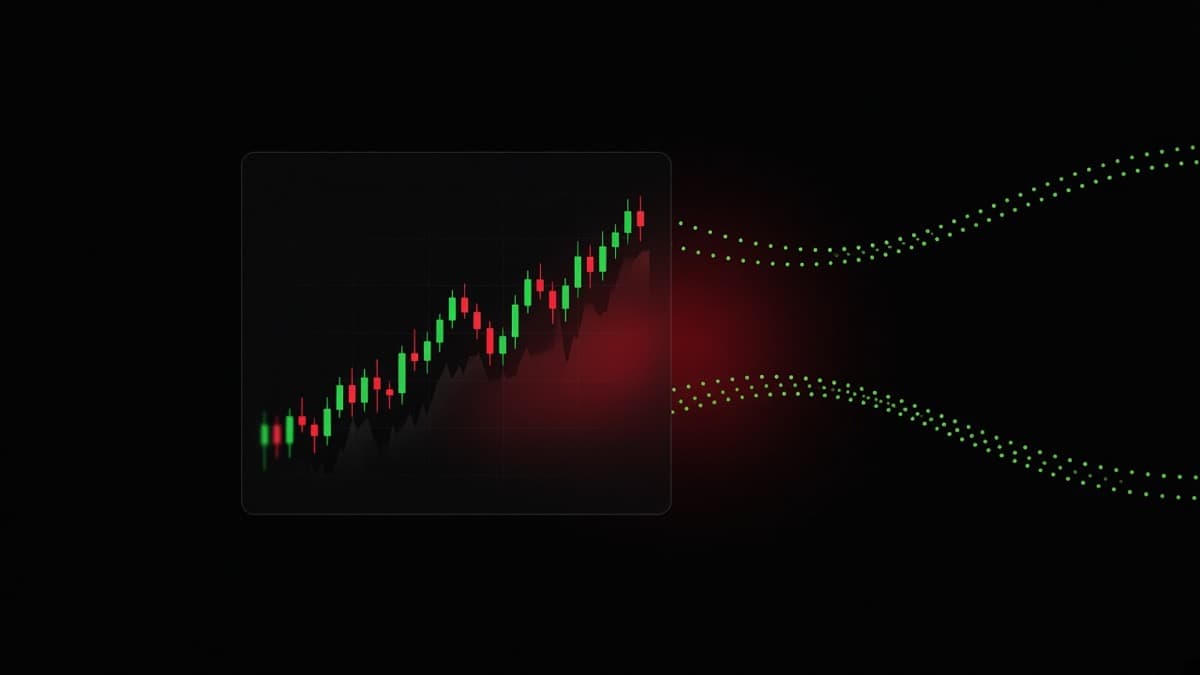
A REDBERRY signal is the output of three things in order: a live price feed, a set of inbuilt strategies reading that feed, and an expiry window you chose before you tapped Generate. Change any one of those and you get a different answer.
This is the part of the product people guess about most, so here is the actual path, including the bits that limit what the desk can do.
Two feeds, not one
REDBERRY runs on two separate price sources, and which one you are looking at depends on which tab you are on.
Live pairs come from the TradingView API, which gives the desk realtime price and chart structure on real currency pairs so the algorithm can read an actual market. The OTC tabs come from private Quotex API access, which gives the desk a live OTC price feed from the platform whose desk you unlocked. The same inbuilt strategies then read whichever feed is in play and call the next move.
Those feed credentials live on the server and are never handed to users. There is no public REDBERRY trading API, no partner SDK that places orders, and no way to pipe the feed into your own script. The API Documentation page in the footer says the same thing.
The practical difference between the two feeds shows up on a Saturday.
A currency pair like EUR/USD stops trading when the market closes. An OTC book is quoted by the platform itself, so it carries on. If you only ever trade weekends you are only ever trading OTC, and if you only trade the London and New York hours you may never need the OTC tabs at all.
The Live path: TradingView on 17 pairs
The Live tab covers 17 currency pairs: EUR/USD, GBP/USD, USD/JPY, EUR/GBP, EUR/JPY, AUD/USD, AUD/CAD, USD/CAD, GBP/JPY, GBP/CAD, EUR/AUD, GBP/AUD, NZD/USD, NZD/JPY, USD/CHF, CHF/JPY and AUD/JPY. Names are shown with a slash, so EUR/USD rather than EURUSD.
Live generate time is always 1m. There is no other Live timeframe. You choose the pair and the desk handles the window.
When you tap Generate on Live, four steps run on screen: Analyzing chart, Connecting to the price feed, Applying strategies, Receiving signal. Then a call appears as UP or DOWN, with the pair name and 1m beside it.
There are two versions of the Live screen. The one inside the desk, on the Live tab, shows the call directly. The one on the home page, in the Try on Live Market block, runs the same generate for anybody, but the finished signal stays locked and blurred until you unlock. The lock overlay gives you two ways forward, Enter License Key or Get Free License Key, and both of them land you on that platform's desk with the signal revealed. The mechanics of the key itself are in REDBERRY license and seat rules.
Why the fixed one minute matters
A fixed window makes every Live call comparable. Each one answers the same question: where is this pair likely to be sixty seconds from now. That consistency is useful for you as well as for the desk, because you learn what a Live call feels like on EUR/USD at 9am instead of juggling nine different windows and never building a reference for any of them.
It also keeps the desk away from timeframes where a currency pair is mostly spread. Five seconds of EUR/USD in a quiet hour can be one tick and a spread, and no strategy has anything honest to say about that.
The 17 pairs, grouped
The list is not random, and it helps to see it in three groups rather than as seventeen names.
The dollar majors are EUR/USD, GBP/USD, USD/JPY, AUD/USD, NZD/USD, USD/CAD and USD/CHF. These are the most heavily traded pairs on the list, they usually carry the tightest spreads, and they respond to scheduled data in ways you can anticipate. EUR/USD in the London and New York overlap is about as readable as short window trading gets.
The yen crosses are EUR/JPY, GBP/JPY, CHF/JPY, AUD/JPY and NZD/JPY. GBP/JPY in particular moves in larger steps than its dollar cousins, which cuts both ways on a one minute window. A clean read pays quickly and a wick against you arrives just as quickly. If you are new, these are not the pairs to learn on.
The rest are the non-dollar crosses: EUR/GBP, EUR/AUD, GBP/AUD, AUD/CAD and GBP/CAD. EUR/GBP is the quiet one, often grinding in a narrow band for long stretches, which makes it a poor candidate during dead hours and a decent one when a UK or euro area release actually puts it in motion. The Aussie and Canadian crosses have their own rhythm tied to Asian and North American hours rather than London.
None of that changes what the desk does. It changes which calls are worth taking. A read on a pair that barely moves in the hour you are trading is technically correct and practically useless, because the window can close two ticks from where it opened. Forex pairs and trading sessions has the session map if you want to line your hours up with the right names.
The OTC path: private Quotex API
OTC works from a live OTC price feed pulled through private Quotex API access. The strategies are the same ones. What changes is the character of the data.
An OTC book is the platform's own market. It quotes continuously, including at times when the underlying interbank market is closed. Since the quotes are continuous and dense, very short windows become measurable, which is why the OTC tabs carry second-level expiries and Live does not.
The flow on an OTC tab is fixed in three steps, and the locking is deliberate:
- Tap an open pair. It locks, and Change pair unlocks it.
- Tap a timeframe. It locks, and Change time unlocks it.
- Tap Generate.
Locking both inputs before the scan forces the question to be specific. A DOWN call on EUR/USD (OTC) over 1m is a claim about one pair over one minute. It says nothing about the same pair over 15m and nothing about GBP/USD at all. Plenty of losing trades start with somebody generating on one pair and placing on another because the list scrolled.
Quotex OTC tabs are Currencies, Crypto, Commodities and Stocks alongside Live. Pair names read EUR/USD (OTC). Closed pairs are labelled Closed and cannot be selected, and there is a search box because the lists are long. The Quotex trading guide covers those lists.
What chart structure means in practice
The strategy internals are not published and I am not going to invent a formula to sound authoritative. What is worth your time is the kind of information that lives in a realtime feed, because when a call agrees with something visible on your own chart, you hold it with a steadier hand.
Structure is the first thing. A market making higher highs and higher lows is a different animal from one that has just broken its last higher low, and the same UP call means different things in those two places.
Levels are the second thing. A price that has already turned the market three times is not a random number, and short expiry trades live and die within a few pips of prices like that.
The third thing is what happens when an obvious level gets taken out and immediately recovered.
That shape is common enough to have its own vocabulary, and it is worth learning even if you never look at an indicator: liquidity sweeps and stop hunts and smart money concepts go through it in detail. My reason for pointing you there is practical. A trader who recognises these shapes can tell the difference between a call arriving in a readable market and a call arriving in the middle of nothing, and the second kind is the one to skip.
Timeframes, and what to actually pick
The desk gives you the platform's own list.
| Platform | Timeframes available on OTC | Live |
|---|---|---|
| Quotex | 5s, 10s, 15s, 30s, 1m, 2m, 5m, 10m, 15m, 30m, 1h, 2h, 4h | 1m only |
Quotex carries a dense set of short windows, including 10s and 30s, and longer ones up to 4h.
Now the awkward truth about short expiries. A three second window is not a smaller version of a one minute window, it is a different trade. Over three seconds you are measuring the spread and the next few ticks. Over a minute you are measuring a move. The same price path can settle a short window against you and a longer one in your favour.
That diagram is the whole argument for treating the timeframe as part of the signal rather than a preference. If you keep choosing 5s because the wait is shorter, you are choosing the version of the trade with the most noise and the least room to be right. Starting at 1m and working outwards from there is a better default, and binary options expiry times explained covers how to pick per pair.
One more thing about the window: a signal lasts for the timeframe you chose. When that time ends, the result clears and you can generate again. You can also generate again immediately on the same pair and time. That second option is where people get into trouble, and I will come back to it.
Which feed is worth reading, and when
Both feeds are live all the time the market allows. That does not make every hour equally worth trading.
During the London and New York overlap, the Live pairs are doing something. Volume is there, levels get respected or broken with conviction, and a structure read has material to work with. That is the window where I would spend a Live generate.
In late Asian hours, many of the crosses drift. A read can be correct and still settle within the spread. This is where people talk themselves into a trade because they are at the desk rather than because the chart is offering anything, and it is where the OTC tabs start to look tempting simply because something on them is moving.
At the weekend the Live pairs are shut and the OTC books are all you have. That is fine, as long as you notice that you have switched markets. An OTC book quoted by the platform moves with its own character, and the habits you built on EUR/USD during a London morning do not transfer automatically. Treat the first weekend sessions as learning sessions with small stakes.
The general rule I use: match the feed to the clock. Live during the main currency sessions, OTC when the currency market is closed or when the pair you actually want is only available as an OTC book. Generating on a dead market because the button is there is the most common way to donate a stake.
One signal from tap to result
An example, so the sequence is concrete.
It is 2pm UK time, which puts London and New York together. I am on the desk Live tab with a $150 balance, so 2 percent is $3 a call. EUR/USD has been stepping up for twenty minutes, higher highs and higher lows, with a pullback into a level that turned price earlier in the session. I tap EUR/USD and Generate.
Four steps run, then UP with EUR/USD and 1m.
That call agrees with what the chart is showing, which is the situation I want. I do not place immediately, because there are twenty seconds left in the current minute. I wait for the fresh minute, place $3 UP at the open, and the window settles higher. On the desk I tap WIN, enter the amount in PNL$, and submit.
The other branch matters more. Suppose the minute closes lower. I am down $3, the rules card asks for one MTG step, so I take $6 UP on the very next candle and then stop regardless of the outcome. If that also loses, the sequence is finished at $9, which is six percent of the account and recoverable. What I do not do is take a third step, and I do not switch to a 5s window to win it back faster.
Then I log the result and, if the second one lost too, I leave the pair alone for a while. The read was based on structure that has now been damaged by two candles closing against it, so the next call on that same pair has less behind it than the first one did.
Expiry alignment, the part most people get wrong
The desk gives you a direction and a window. It cannot make you place the trade at the start of that window, and whether you do is the difference between trading the signal and trading a leftover.
Take a 1m UP call. Placed at the open of a fresh minute, you get the whole window and an entry near the price the strategies were reading. Placed forty seconds in, you are entering at a level price has already travelled to, with twenty seconds to be right, and the move behind the read may already be spent.
The maths is unforgiving on short windows. Five seconds of hesitation on a 1m call is eight percent of your window. Five seconds on a 5s call is the entire trade. On S3, by the time you have read the call, found the amount box and pressed the button, the window you were given has closed and you are trading the next one blind.
The rule I would give any new user: if you cannot enter near the start of the window, do not enter. Let it go and generate again. Skipping costs nothing.
Why a signal can still lose
Because the feed describes the present and the trade settles in the future.
The desk's own accuracy reference, with the on-desk rules followed, is an 80 to 90 percent range. That is a reference, not a guarantee, and it moves around with the pair, the hour, the news flow and how strictly the rules are followed in practice rather than in theory. Every honest desk has losing trades inside a number like that, and a desk that claims certainty about the next candle is lying.
Here is a loss that was not a bad read.
The setup was textbook. Stops below the level were taken, the candle closed back above, the strategies called up. Two candles later one fast red candle went through the level and the window closed below the entry. Nothing malfunctioned. The market did the less likely thing, which it is entitled to do on any given minute.
The failure modes worth knowing:
- News. A release lands mid-window and the pair moves in a way no structure read could anticipate.
- Thin hours. Late Asia on a minor cross can produce a wick that erases a perfectly sensible read.
- Chop. In a two pip sideways band there is no move for a read to be about, and the honest answer is to skip the pair.
- Late entry. Covered above, and it is the one failure mode entirely under your control.
- Wrong pair or wrong window. The generated signal belongs to the pair and time you locked. Placing it elsewhere is a new trade with no read behind it.
A losing streak does not mean the desk owes you a win. Each window is independent, and the desk has no memory of your last four trades. If you feel owed, that feeling is the trade going wrong, not the market. Trading psychology and discipline exists for that specific hour.
What the desk does not know about your trade
Once a signal is on screen, REDBERRY has no idea what you did with it. It cannot see your broker account, your stake, your fill price or your result.
That is why the desk asks. After a signal, Live or OTC, it wants WIN, LOSS or REFUND, then the amount in PNL$, then Submit. Your report is the only record of what happened. The home page numbers, Today Signals, Today Est. PNL and Today Accuracy, are built from what users submit, which makes them a description of the desk's day rather than a prediction about yours. Today Signals and Today Est. PNL reset at 12:00 AM Asia/Karachi, and Today Accuracy does not reset on that clock.
Two habits worth forming. Report honestly, including the losses, because a desk-wide accuracy number made of half-reported wins is worth nothing to anybody. And keep your own record beside it. Pair, time, entry, result, and one line on whether you entered at the start of the window. After fifty trades that log tells you things no aggregate number can, usually that your losses cluster in one hour or on one pair.
Generating again without over-generating
The ability to tap Generate again on the same pair and time is useful and dangerous.
Useful, because a read from four minutes ago on a fast pair is stale, and refreshing before you place is sensible. Dangerous, because it turns into rerolling. If the call comes back DOWN and you wanted UP, generating four more times until it agrees with your hunch is not analysis, it is shopping for permission. You already took the read, you just did not like it.
A workable discipline: one generate per decision. Read the call, look at the chart, then either place at the start of the next window or skip the pair entirely. If you skip, the next thing you do is pick a different pair or wait, not regenerate the same one until it changes its mind.
How this differs from a bot with no feed
The home page Comparison card makes one point, and it is the point I would make too. Plenty of signal bots have no market API, no live pair coverage, and no strategy layer worth the name. They produce a direction because a direction is what the screen needs.
REDBERRY's answer to the same question is specific: TradingView for Live pairs with realtime price and chart structure, private Quotex API access for the OTC feed, and inbuilt strategies reading both. That specificity is what you should demand from anything that calls itself a signal desk, including this one. Ask where the data comes from. Ask what the claimed accuracy is and whether it is framed as a promise. Ask what happens when you lose.
It also does not make the desk a money machine, and nothing in this article should be read that way. It is informational software, run as a non-profit desk, with no order access and no funds held. About us covers what it is for, and if the desk behaves differently from this description, mail contact@redberrybot.com through Contact us and you will normally get an answer in one to two working days.
If you are still building the basics under all this, what is binary trading and risk management for binary trading are better next reads than another signal article.
Questions people ask
Where does REDBERRY get its price data?
Live pairs use the TradingView API for realtime price and chart structure. The OTC tabs use private Quotex API access for a live OTC price feed. The same inbuilt strategies read both, and those feed credentials are internal server credentials that are never issued to users.
Why is the Live timeframe always 1m?
Live covers 17 currency pairs and the generate time there is fixed at one minute, so you choose the pair rather than the window. One minute is long enough for the strategies to read structure on a real currency pair instead of spread noise, and it keeps every Live call directly comparable.
What is the desk doing during the five second scan?
It is pulling the current feed for the pair you locked and running the strategy pass over it. On OTC the on-screen lines read INIT SECURE RELAY, FETCHING OTC TICKS, DECRYPTING ORDER FLOW, MATCHING LIQUIDITY and LOCKING SIGNAL NODE. On Live they read Analyzing chart, Connecting to the price feed, Applying strategies and Receiving signal.
Can I generate the same pair again straight away?
Yes. A signal lasts for the timeframe you chose, and when that window ends the result clears so you can generate again. You can also tap Generate again on the same pair and time before that if you want a fresh read.
If the data is live, why do signals lose?
Because a live read of the present is not a guarantee about the next sixty seconds. The desk's own reference is an 80 to 90 percent range when the on-desk rules are followed, which is a reference and not a promise. Pairs, hours, news and your own entry timing all move that number.
Does REDBERRY place the trade for me once the signal appears?
No. The desk prints a direction and a window, and you place the trade yourself on Quotex. REDBERRY holds no funds, has no order access, and cannot close or size a position for you.
Nothing here is financial advice. Signals and setups can be wrong, so only risk money whose loss will not change your life.